CDM Duty Holders Register Template
Written from experience on CTRL, Crossrail and Network Rail
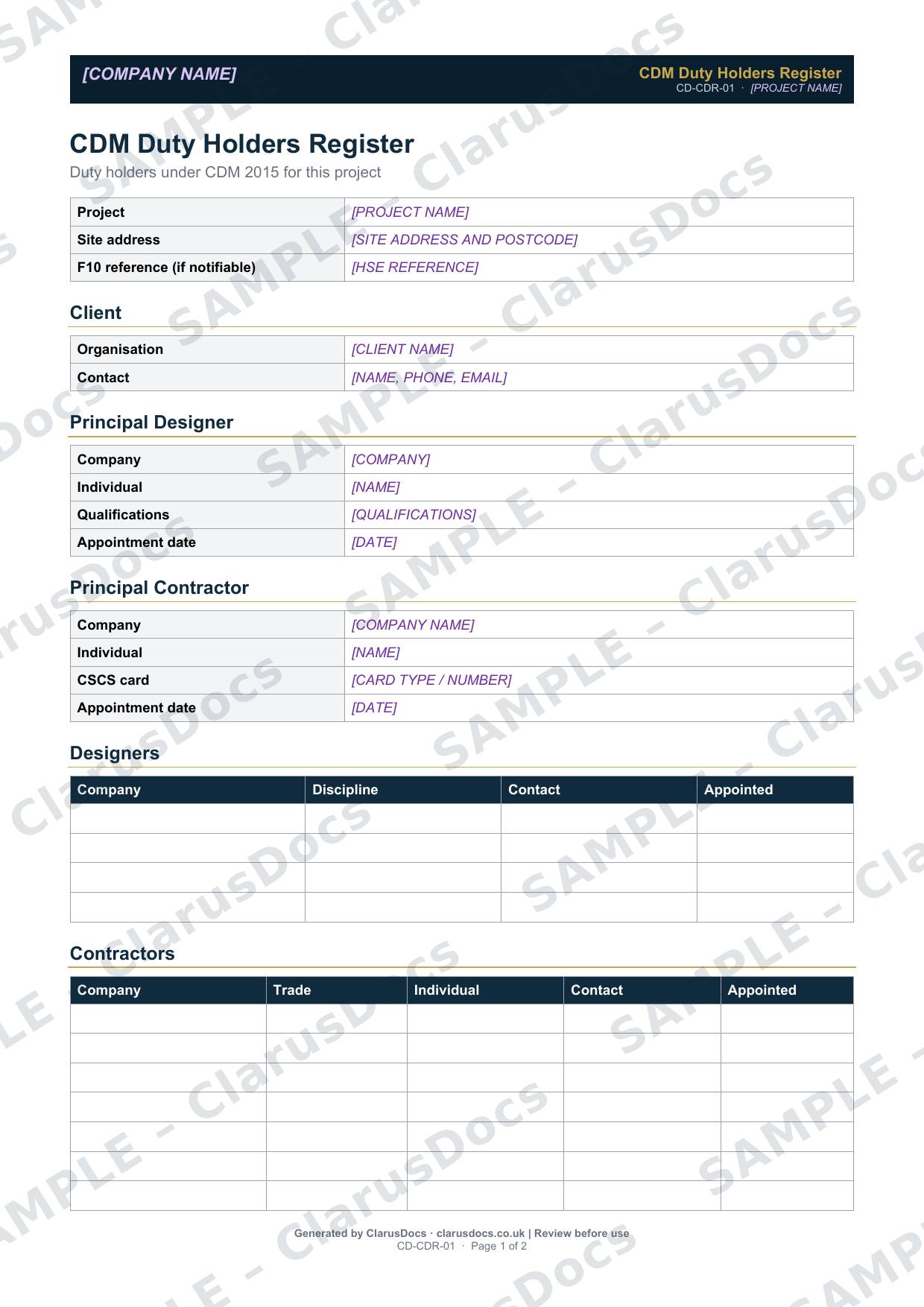
This CDM duty holders register lists everyone with a duty under CDM 2015 on your project, including the client, Principal Designer, Principal Contractor, designers and contractors, with contact details and appointment dates in one place.
 See what you get →
Completed except the facts only you know
£25 + VAT
£30 inc. VAT
- Fills in: The register header for your project.
- Stays [TO CONFIRM]: Names and references you haven’t given us. Entry rows are left blank.
- A competent person must review before use.
- Company logo in header
- Delivered in minutes
- Word document (.docx)
Template
£9 + VAT
£10.80 inc. VAT
Blank register — fill in yourself
- Word document (.docx)
- Guidance notes included
- Instant download
- Use on any project
Prices exclude VAT: UK customers pay 20% VAT; VAT is not charged for customers outside the UK.All documents are drafts. Placeholders marked [TO CONFIRM] must be completed with your site-specific details. A competent person must review before use on site.
What it's for
On a busy project it is easy to lose track of who has been appointed and when, especially as packages are let and designers change. The register gives the site team, the client and any inspector a quick answer to "who is responsible for what here?", and links to the F10 reference where the project is notifiable.
When you need it
From the start of the project, kept up to date whenever a duty holder is appointed, changes or leaves. Many teams keep it at the front of the construction phase plan.
Who signs it
It is not signed. It is kept by the Principal Contractor or the client’s project manager, with each change recorded in the review log.
What's inside
- Project details and the F10 reference
- Client contact details
- Principal Designer: company, individual, qualifications and appointment date
- Principal Contractor: company, individual, card and appointment date
- Designers and contractors tables
- The custodian of the health and safety file, and the date it is handed to the client
- A review log
FAQ
- Is a duty holders register a legal requirement?
- Not as a separate document. It is a practical record that supports the duties to appoint, cooperate and share information.
- Who keeps the health and safety file during the project?
- Record it in the register. The Principal Designer prepares the file and passes it to the client at the end of the project.
- How often should it be updated?
- Whenever a duty holder changes, and at each review of the construction phase plan.
- What is [TO CONFIRM]?
- Details only you know, such as names, references and dates. We never guess these. They appear as highlighted [TO CONFIRM] placeholders, and the register opens with a list of every one. The entry rows are always left blank: we never invent entries, so you record them as the work goes on.
- Can I edit the document?
- Yes. Both options are Word documents you can edit freely.
- Do I still need to review it?
- Yes. A competent person must check every document against the actual site and works before it is used. ClarusDocs gives you a complete first draft, not a substitute for that check.
Related documents
- Pre-Construction Information ChecklistShow the client has handed over the information contractors need to plan safely
- F10 HSE Notification Guide and ChecklistKnow when your project must be notified to HSE, and have everything ready to do it
- CDM Appointment Letters PackThe three letters that put CDM appointments in writing
- Construction Phase PlanThe Principal Contractor’s plan for running the site safely — needed before work starts
- Health and Safety File — Index and Cover SheetThe front sheet and contents list for the file the client keeps after handover
- CDM Site Induction RecordRecord that everyone was inducted before starting on site