F10 Notification Guide and Checklist
Written from experience on CTRL, Crossrail and Network Rail
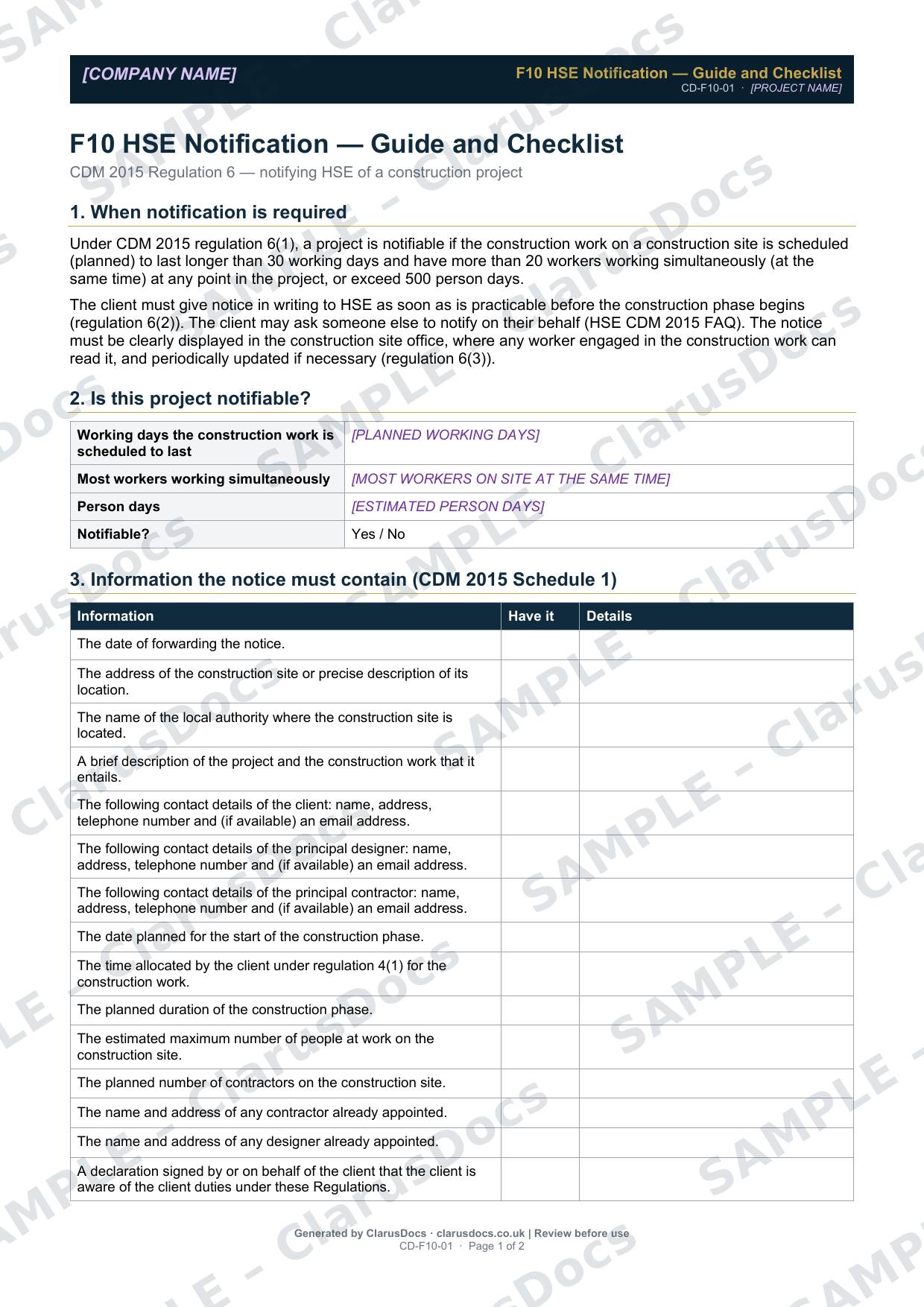
This F10 notification guide explains when a construction project must be notified to HSE under CDM 2015, and gives you a checklist of everything the online form asks for, so you can fill it in once without stopping halfway to chase details.
 See what you get →
Free download
Free
No card, no account — just your email
Blank guide — fill in yourself
- Word document (.docx), sent by email
- Schedule 1 checklist, submission steps and a record of the HSE serial number
Notifiable or not, you need a construction phase plan
See the Construction Phase Plan.
Prices exclude VAT: UK customers pay 20% VAT; VAT is not charged for customers outside the UK.All documents are drafts. Complete the placeholders with your own details, and have a competent person review them before use.
What it's for
Notifying HSE is the client’s duty under regulation 6, and HSE says the client may ask someone else to notify on their behalf. The guide sets out the thresholds, the information required by Schedule 1, how to submit, and what to do once it has gone, including keeping HSE’s serial number with the project records.
When you need it
As soon as practicable before the construction phase begins, if the construction work on site is scheduled (planned) either to last longer than 30 working days and have more than 20 workers working simultaneously (at the same time) at any point in the project, or to exceed 500 person days.
Who signs it
The guide is not signed. The F10 form includes a declaration made by, or on behalf of, the client. The checklist records who submitted the form and when.
What's inside
- When notification is required, and a quick test of whether your project is notifiable
- A checklist of every item the notice must contain (Schedule 1, word for word)
- Step-by-step submission
- Pre-submission checks, such as written appointments and agreed dates
- A confirmation box for HSE’s serial number, the submission date and the date the notice was displayed in the site office
FAQ
- Can the contractor submit the F10?
- Yes, on the client’s behalf, but the duty remains with the client.
- What do I do once it’s sent?
- Keep the serial number HSE sends you. The notice must be clearly displayed in the construction site office, where any worker engaged in the construction work can read it (regulation 6(3)).
- What if the details change?
- The notice must be periodically updated, if necessary (regulation 6(3)). HSE’s F10 page explains how to edit a notification using its serial number.
- What are the [PLACEHOLDERS]?
- Purple text in square brackets, such as [COMPANY NAME], marks the details you fill in. Replace each one with your own details, and remove anything that doesn’t apply, before the document is used.
- Can I edit the document?
- Yes. It’s a Word document you can edit freely.
- Do I still need to review it?
- Yes. A competent person must check every document against the actual site and works before it is used. ClarusDocs gives you a complete first draft, not a substitute for that check.
Related documents
- Pre-Construction Information ChecklistShow the client has handed over the information contractors need to plan safely
- CDM Appointment Letters PackThe three letters that put CDM appointments in writing
- CDM Duty Holders RegisterEveryone with a CDM duty on the project, and how to reach them
- Construction Phase PlanThe Principal Contractor’s plan for running the site safely — needed before work starts
- Health and Safety File — Index and Cover SheetThe front sheet and contents list for the file the client keeps after handover
- CDM Site Induction RecordRecord that everyone was inducted before starting on site