Site Instruction Log Template
Written from experience on CTRL, Crossrail and Network Rail
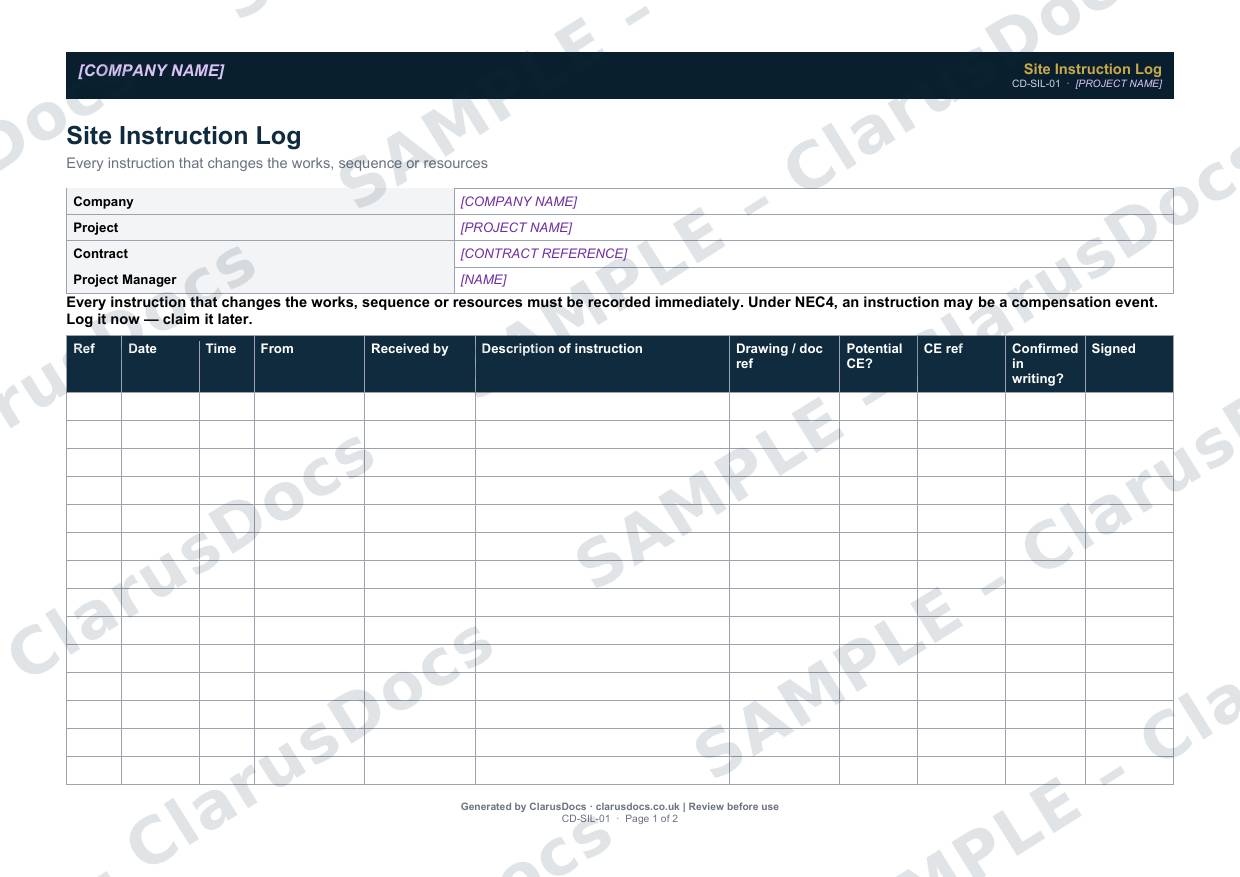
This site instruction log template records every instruction that changes the works, the sequence or your resources: who gave it, who received it, when, and whether it has been confirmed in writing. Under NEC4, many of those instructions are compensation events, so the log also flags which ones need notifying.
 See what you get →
Completed except the facts only you know
£25 + VAT
£30 inc. VAT
- Fills in: The register header for your project.
- Stays [TO CONFIRM]: Names and references you haven’t given us. Entry rows are left blank.
- A competent person must review before use.
- Company logo in header
- Delivered in minutes
- Word document (.docx)
Template
£9 + VAT
£10.80 inc. VAT
Blank register — fill in yourself
- Word document (.docx)
- Guidance notes included
- Instant download
- Use on any project
Prices exclude VAT: UK customers pay 20% VAT; VAT is not charged for customers outside the UK.All documents are drafts. Placeholders marked [TO CONFIRM] must be completed with your site-specific details. A competent person must review before use on site.
What it's for
Instructions given on site, often verbally, are the most common source of lost entitlement. If nobody writes them down, there is nothing to rely on months later when the final account is agreed. The log captures each one as it happens and links it to a compensation event reference once it has been notified.
When you need it
From the first day on site. Fill in a row every time an instruction is received, and review the log every week. Any potential compensation event without a CE reference is a time-bar risk.
Who signs it
The person who received the instruction signs each row. The log is usually kept by the site manager or the contractor’s project manager.
What's inside
- Contract details and the named Project Manager
- A 14-row landscape log with reference, date, time, who gave it, who received it, description, drawing reference, potential CE flag, CE reference, written confirmation and signature
- Guidance on who can give instructions under NEC4, including delegation (clause 14.2)
- What to do with verbal instructions
- How to raise a compensation event from the log (clauses 60.1(1), 61.1 and 61.3)
FAQ
- Can the Client instruct us directly?
- Not under the contract. Instructions come from the Project Manager, the Supervisor for searches and tests, or someone they have delegated to and told you about. Log what the Client asks and refer it to the Project Manager before acting.
- Does NEC4 confirm verbal instructions automatically?
- No. Ask the Project Manager to confirm in writing. The template suggests doing so within 24 hours as site practice.
- Is every instruction a compensation event?
- No, but an instruction that changes the Scope usually is. Flag it in the log and check it against clause 60.1.
- What is [TO CONFIRM]?
- Details only you know, such as names, references and dates. We never guess these. They appear as highlighted [TO CONFIRM] placeholders, and the register opens with a list of every one. The entry rows are always left blank: we never invent entries, so you record them as the work goes on.
- Can I edit the document?
- Yes. Both options are Word documents you can edit freely.
- Do I still need to review it?
- Yes. A competent person must check every document against the actual site and works before it is used. ClarusDocs gives you a complete first draft, not a substitute for that check.
Related documents
- NEC4 Communications LogEvery formal communication, every deadline — in one log
- Stakeholder Notification LogShow who was told about the works, when and how
- Permit to DigSign-off that buried services are found and marked before anyone breaks ground
- Early Warning NoticeThe notice that flags a problem early, before it costs time or money
- Daily Site DiaryThe record that wins disputes — one page a day
- Subcontractor Attendance and Output RecordWho was here, what they did — agreed and signed each week
Keeping this record every day? ClarusPM keeps it on a tablet on site and on the office computer. See ClarusPM →