Daily Site Diary Template
Written from experience on CTRL, Crossrail and Network Rail
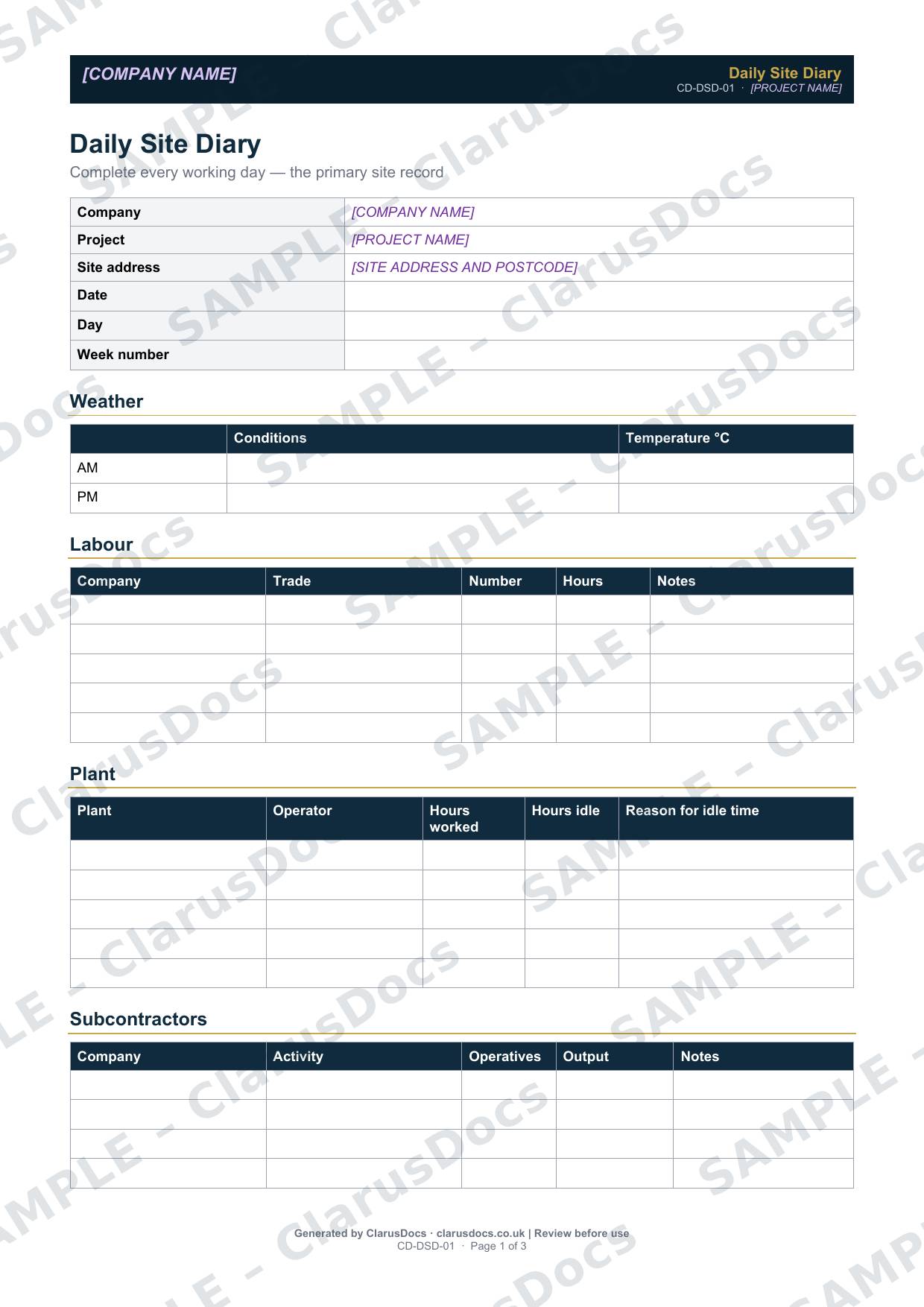
This daily site diary template is the one-page record of each working day on site: the weather, labour, plant, subcontractors, progress, instructions, visitors, events, deliveries, and tests and inspections, signed by the site manager.
 See what you get →
Template
£9 + VAT
£10.80 inc. VAT
Blank form — fill in yourself
- Word document (.docx)
- Guidance notes included
- Instant download
- Use on any project
Prices exclude VAT: UK customers pay 20% VAT; VAT is not charged for customers outside the UK.All documents are drafts. Complete the placeholders with your own details, and have a competent person review them before use.
What it's for
When a delay, a claim or a dispute comes up months later, the daily diary is usually the record everyone turns to. A diary filled in on the day, in the same format every day, shows what resources were on site, what was achieved, what got in the way, and what instructions were given. It is far more convincing than anything reconstructed afterwards.
When you need it
Every working day, from the first day on site to the last. Complete it at the end of each shift while the details are fresh.
Who signs it
The site manager.
What's inside
- Date, day and week number
- Morning and afternoon weather and temperature
- Labour by company and trade, with numbers and hours
- Plant with hours worked, hours idle and the reason for idle time
- Subcontractor activity and output
- Progress, with planned and actual quantities and the variance
- Instructions received, with a log reference
- Visitors, events and issues, materials delivered, and tests and inspections
- Site manager signature
FAQ
- Why record idle plant?
- Idle time and the reason for it, such as waiting for access, information or weather, is often the key evidence for delay and disruption claims.
- Do instructions go in the diary or the instruction log?
- Both. The diary notes the instruction on the day and gives the reference to the site instruction log, where it is tracked.
- Can it be kept electronically?
- Yes, as long as it is completed every day and cannot be changed afterwards without a record of the change.
- What are the [PLACEHOLDERS]?
- Purple text in square brackets, such as [COMPANY NAME], marks the details you fill in. Replace each one with your own details, and remove anything that doesn’t apply, before the document is used.
- Can I edit the document?
- Yes. It’s a Word document you can edit freely.
- Do I still need to review it?
- Yes. A competent person must check every document against the actual site and works before it is used. ClarusDocs gives you a complete first draft, not a substitute for that check.
Related documents
- Subcontractor Attendance and Output RecordWho was here, what they did — agreed and signed each week
- Permit to DigSign-off that buried services are found and marked before anyone breaks ground
- Stakeholder Notification LogShow who was told about the works, when and how
- Site Instruction LogLog every instruction now — so you can claim it later
- Hot Works PermitApproval for welding, cutting or grinding, with the fire watch afterwards
- Permit to AccessApproval to work in a client's or tenant's premises, applied for 24 hours ahead