Accident Report Form Template
Written from experience on CTRL, Crossrail and Network Rail
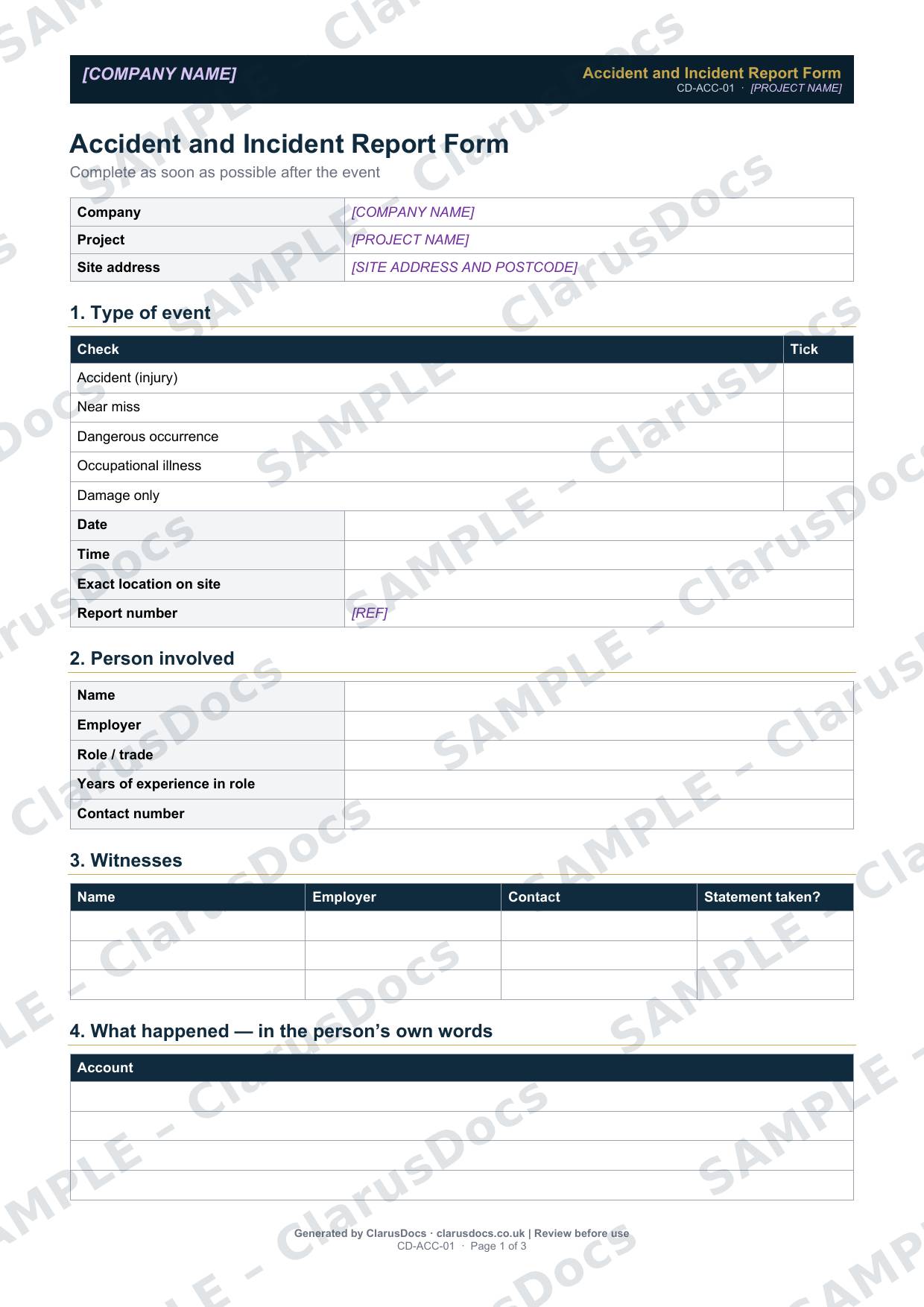
This accident report form template is the first record of any accident, incident, near miss or dangerous occurrence on site: what happened, who was involved, the injuries and treatment, whether it is reportable under RIDDOR, the causes, and who has been told.
 See what you get →
Completed except the facts only you know
£25 + VAT
£30 inc. VAT
- Fills in: Header details and the items to check for your project.
- Stays [TO CONFIRM]: References, names and locations you haven’t given us. Results, readings, dates and signatures are left blank.
- A competent person must review before use.
- Company logo in header
- Delivered in minutes
- Word document (.docx)
Template
£9 + VAT
£10.80 inc. VAT
Blank form — fill in yourself
- Word document (.docx)
- Guidance notes included
- Instant download
- Use on any project
Prices exclude VAT: UK customers pay 20% VAT; VAT is not charged for customers outside the UK.All documents are drafts. Placeholders marked [TO CONFIRM] must be completed with your site-specific details. A competent person must review before use on site.
What it's for
The first record, made while memories are fresh, is the one everyone relies on later, whether for investigation, a RIDDOR report, an insurance claim or a dispute. The form captures the facts in a consistent order, including the injured person’s own account and a body map, and prompts the reporting decision.
When you need it
As soon as possible after any accident, near miss, dangerous occurrence, occupational illness or damage-only event on site.
Who signs it
The reporting manager signs it. The account section records the injured person’s own words, and witness statements are noted.
What's inside
- Type of event, date, time, exact location and report number
- The person involved, and up to three witnesses
- An account in the person’s own words
- A body map with injury codes, the nature of the injuries and the parts of the body affected
- Treatment given, from none to ambulance
- A RIDDOR check with reporting deadlines and the HSE reference
- Equipment and materials involved, and whether they were quarantined
- Immediate and underlying causes, immediate preventive actions, and who was told
FAQ
- Does this replace the accident book?
- No. Keep the accident book entry as well. The form is a fuller record for investigation and reporting.
- Should near misses be reported on it?
- Yes. Near misses show where the next accident could happen, and the form has a tick box for them.
- Is the form confidential?
- It contains personal information, so store it securely and share it only with those who need it.
- What is [TO CONFIRM]?
- Details only you know, such as references, names and locations. We never guess these. They appear as highlighted [TO CONFIRM] placeholders, and the form opens with a list of every one. Results, readings, dates and signatures are left blank for completion at the time.
- Can I edit the document?
- Yes. Both options are Word documents you can edit freely.
- Do I still need to review it?
- Yes. A competent person must check every document against the actual site and works before it is used. ClarusDocs gives you a complete first draft, not a substitute for that check.
Related documents
- Ecology Clearance RecordRecord that protected species were checked before clearing the site
- Pre-Commencement Meeting Minutes TemplateAgenda and minutes for the meeting that kicks the job off properly
- Health and Safety File — Index and Cover SheetThe front sheet and contents list for the file the client keeps after handover
- CDM Site Induction RecordRecord that everyone was inducted before starting on site
- Accident Investigation ReportFind the root cause, fix it and show what you learned
- Witness Statement FormTake a clear, signed account from each witness