NEC4 Defects Register Template
Written from experience on CTRL, Crossrail and Network Rail
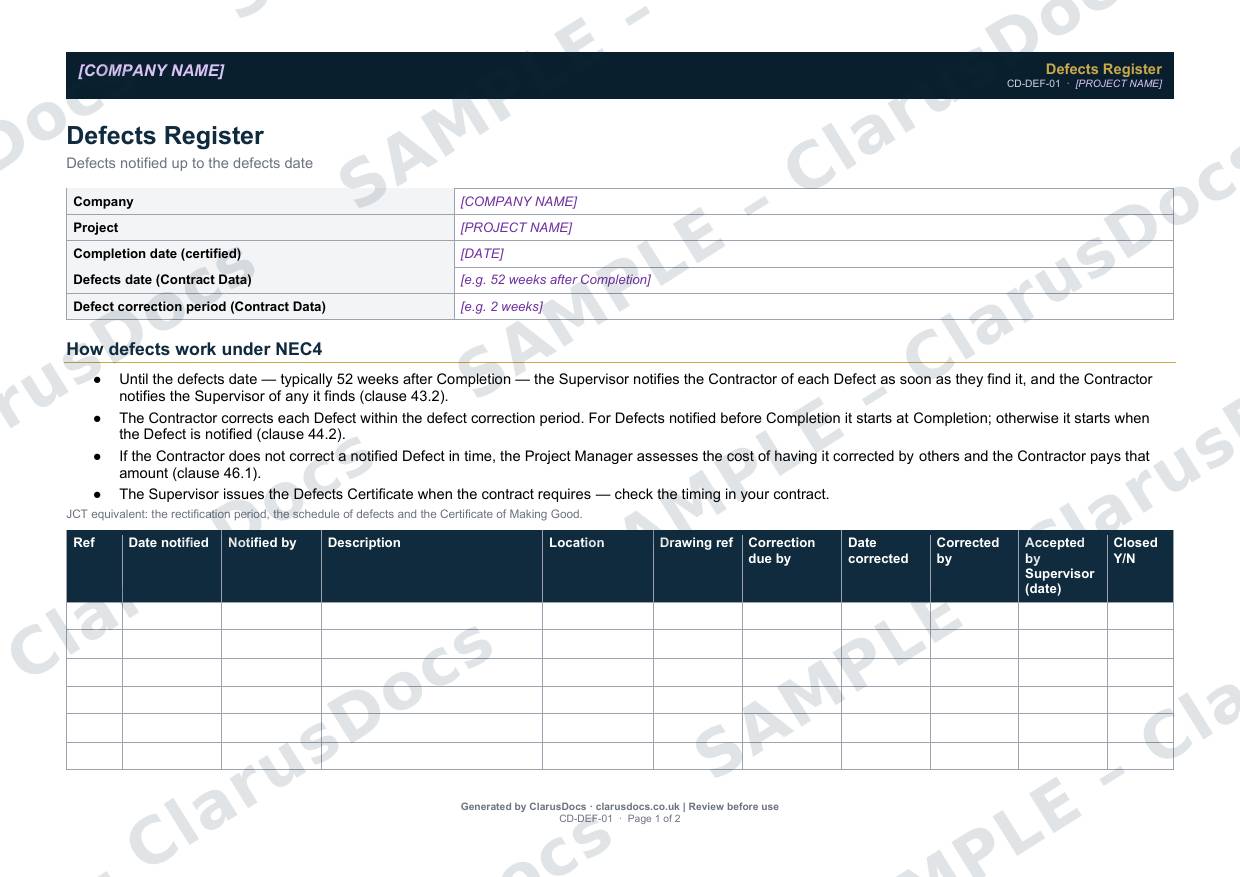
This NEC4 defects register template tracks every Defect notified up to the defects date, from notification through to correction and acceptance by the Supervisor. It shows the correction deadline for each one, so nothing runs past its defect correction period.
 See what you get →
Completed except the facts only you know
£25 + VAT
£30 inc. VAT
- Fills in: The register header for your project.
- Stays [TO CONFIRM]: Names and references you haven’t given us. Entry rows are left blank.
- A competent person must review before use.
- Company logo in header
- Delivered in minutes
- Word document (.docx)
Template
£9 + VAT
£10.80 inc. VAT
Blank register — fill in yourself
- Word document (.docx)
- Guidance notes included
- Instant download
- Use on any project
Prices exclude VAT: UK customers pay 20% VAT; VAT is not charged for customers outside the UK.All documents are drafts. Placeholders marked [TO CONFIRM] must be completed with your site-specific details. A competent person must review before use on site.
What it's for
After Completion, Defects keep arriving, and each has its own correction deadline. If a notified Defect is not corrected in time, the Project Manager assesses the cost of having someone else correct it, and you pay that amount (clause 46.1). The register keeps every Defect, deadline and sign-off in one place, and gives you the record you need before the Defects Certificate is issued.
When you need it
From the first notified Defect until the Supervisor issues the Defects Certificate.
Who signs it
The contractor’s project manager signs off the register. The Supervisor’s acceptance date is recorded against each corrected Defect.
What's inside
- Contract details: certified Completion date, defects date and defect correction period
- A summary of how Defects work under NEC4 (clauses 43.2, 44.2 and 46.1), with the JCT equivalents
- A 14-row landscape register from date notified to closed
- What to do if you disagree that something is a Defect
- Sign-off
FAQ
- What if we don’t think it is a Defect?
- A Defect is work that does not meet the Scope, or your accepted design. Tell the Supervisor in writing with reasons and evidence. If the Supervisor instructs a search and no Defect is found, the search is a compensation event (clause 60.1(10)), unless the search was only needed because you gave insufficient notice before covering the work.
- When does the correction period start?
- For Defects notified before Completion, at Completion. For others, when the Defect is notified (clause 44.2).
- Can I use it on a JCT contract?
- Yes. The template notes the JCT equivalents: the rectification period, the schedule of defects and the Certificate of Making Good.
- What is [TO CONFIRM]?
- Details only you know, such as names, references and dates. We never guess these. They appear as highlighted [TO CONFIRM] placeholders, and the register opens with a list of every one. The entry rows are always left blank: we never invent entries, so you record them as the work goes on.
- Can I edit the document?
- Yes. Both options are Word documents you can edit freely.
- Do I still need to review it?
- Yes. A competent person must check every document against the actual site and works before it is used. ClarusDocs gives you a complete first draft, not a substitute for that check.
Related documents
- Site Instruction LogLog every instruction now — so you can claim it later
- Material Delivery RecordCheck it, accept it, record it — QA evidence for every delivery
- Concrete Cube Test RegisterEvery cube, every result — checked against BS EN 206
- Snagging ListEvery snag at completion — prioritised, owned and closed
- NEC4 Communications LogEvery formal communication, every deadline — in one log
- Pre-Backfill Inspection ChecklistThe check that pipes, bedding and surround are right before the trench is filled
Keeping this record every day? ClarusPM keeps it on a tablet on site and on the office computer. See ClarusPM →