Snagging List Template
Written from experience on CTRL, Crossrail and Network Rail
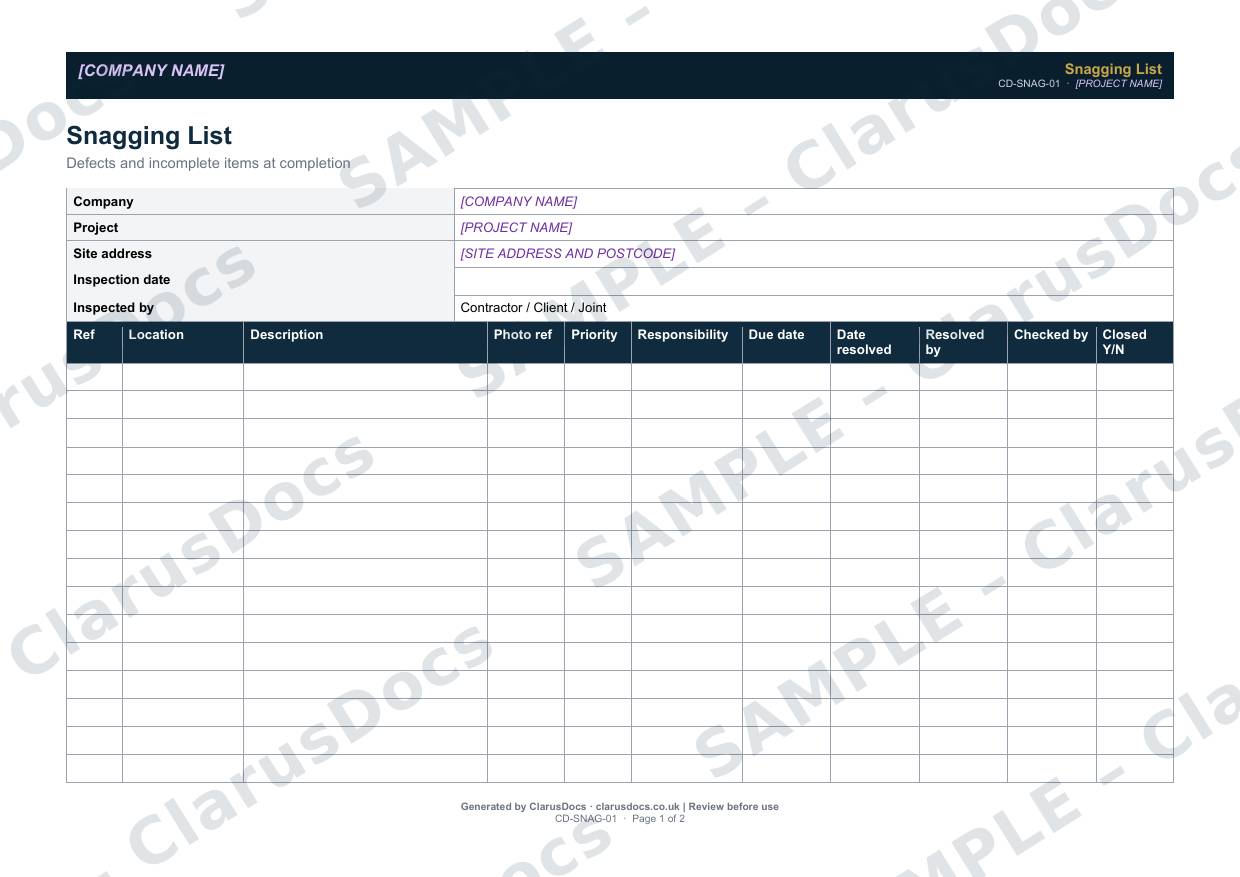
This snagging list template records defects and incomplete items found at completion inspections, giving each one a location, a photo reference, a priority, an owner and a due date, and tracking it until it is closed.
 See what you get →
Completed except the facts only you know
£25 + VAT
£30 inc. VAT
- Fills in: The register header for your project.
- Stays [TO CONFIRM]: Names and references you haven’t given us. Entry rows are left blank.
- A competent person must review before use.
- Company logo in header
- Delivered in minutes
- Word document (.docx)
Template
£9 + VAT
£10.80 inc. VAT
Blank register — fill in yourself
- Word document (.docx)
- Guidance notes included
- Instant download
- Use on any project
Prices exclude VAT: UK customers pay 20% VAT; VAT is not charged for customers outside the UK.All documents are drafts. Placeholders marked [TO CONFIRM] must be completed with your site-specific details. A competent person must review before use on site.
What it's for
Snagging lists grow quickly and get lost in emails. A single prioritised list shows what must be done before Completion, what can wait until the defects period, and what has been closed. It also gives you a clear record when the client and contractor disagree about whether something was finished.
When you need it
At pre-completion and completion inspections, whether carried out by the contractor, the client or jointly, and afterwards until every item is closed.
Who signs it
The contractor’s project manager and the client’s representative.
What's inside
- Inspection details: date, and whether the inspection was by the contractor, the client or both
- A landscape table of up to 16 items with location, description, photo reference, priority, responsibility, due date, resolution and checks
- Three priorities: A urgent, B before Completion, and C within the defects period
- An NEC4 note on Completion and outstanding Defects
- An outstanding summary, client comments and agreed completion dates
- Sign-off
FAQ
- How do the priorities work?
- A is urgent, B must be done before Completion, and C can be done within the defects period.
- Can Completion be certified with snags outstanding?
- Under NEC4, only if the outstanding Defects would not stop the Client using the works and all work the Scope requires by Completion has been done. Priority B items should be those that would stop it.
- Should I take photos?
- Yes. The list has a photo reference column for each item.
- Who carries out the snagging inspection?
- The contractor, the client, or both together. The template records which, and a joint inspection reduces disputes later.
- What is [TO CONFIRM]?
- Details only you know, such as names, references and dates. We never guess these. They appear as highlighted [TO CONFIRM] placeholders, and the register opens with a list of every one. The entry rows are always left blank: we never invent entries, so you record them as the work goes on.
- Can I edit the document?
- Yes. Both options are Word documents you can edit freely.
- Do I still need to review it?
- Yes. A competent person must check every document against the actual site and works before it is used. ClarusDocs gives you a complete first draft, not a substitute for that check.
Related documents
- Concrete Cube Test RegisterEvery cube, every result — checked against BS EN 206
- Drainage Pressure Test RecordThe air or water test record that proves new drains don’t leak
- Master Inspection and Test PlanEvery activity, every control point — agreed before work starts
- CCTV Drainage Survey RecordProve the drains are right before you reinstate over them
- Material Delivery RecordCheck it, accept it, record it — QA evidence for every delivery
- Defects RegisterTrack every notified Defect to correction — and protect your final account