Excavation Safety Toolbox Talk
Written from experience on CTRL, Crossrail and Network Rail
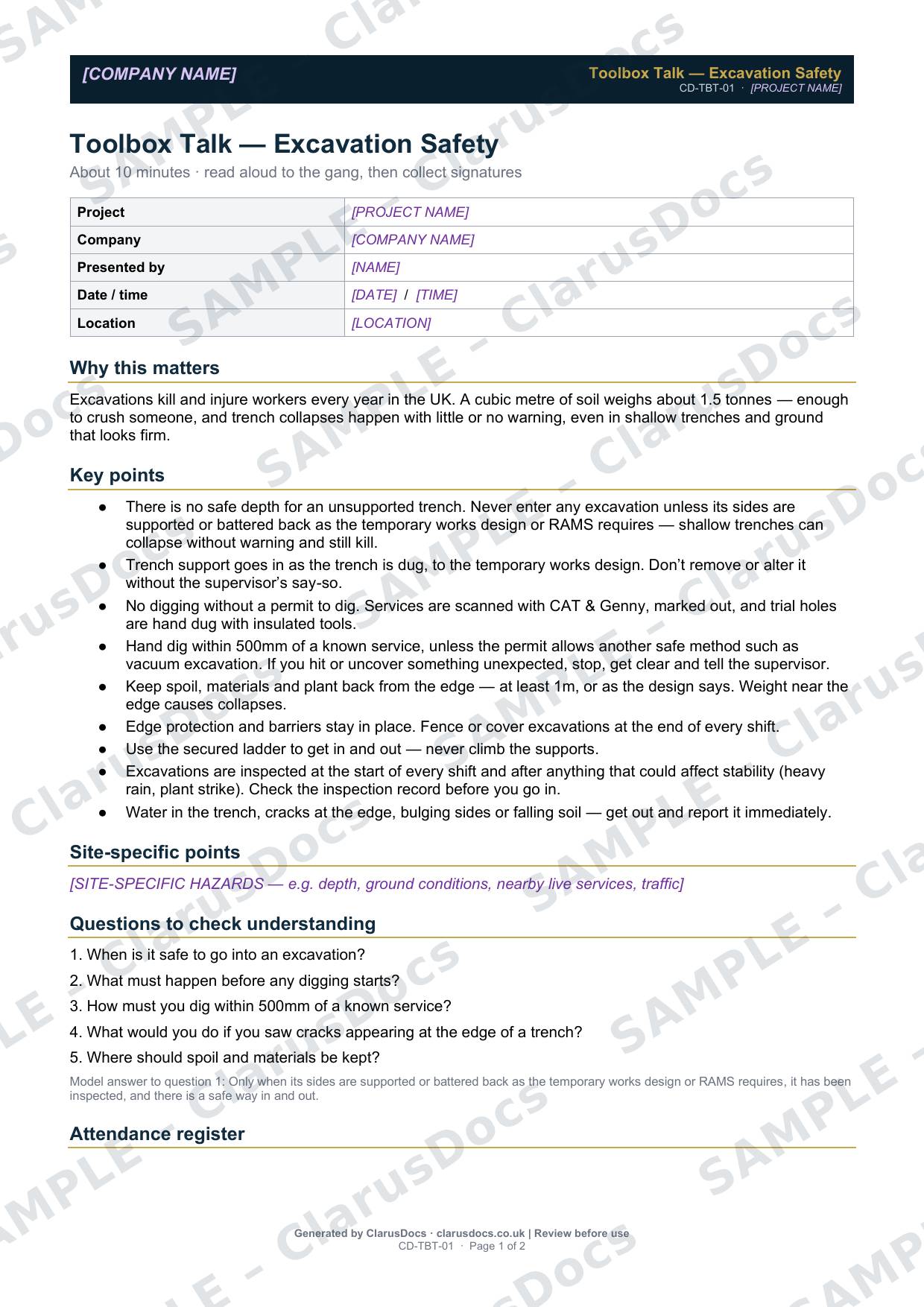
This excavation safety toolbox talk takes about ten minutes to read aloud to the gang. It covers trench collapse, buried services, edge protection, access and inspections, then checks understanding with five questions and records attendance.
 See what you get →
Completed except the facts only you know
£18 + VAT
£21.60 inc. VAT
- Fills in: A talk written around your works and location.
- Stays [TO CONFIRM]: Site-specific hazards or contacts you haven’t given us. Presenter, date and attendance are left blank.
- A competent person must review before use.
- Company logo in header
- Delivered in minutes
- Word document (.docx)
Free download
Free
No card, no account — just your email
Blank toolbox talk — fill in yourself
- Word document (.docx), sent by email
- Sign-on sheet for the gang
Need the permit itself?
Get the Permit to Dig, or the Drainage Site Pack: the drainage RAMS, permits to dig and pump, and the inspection and test records in one download.
Prices exclude VAT: UK customers pay 20% VAT; VAT is not charged for customers outside the UK.All documents are drafts. Placeholders marked [TO CONFIRM] must be completed with your site-specific details. A competent person must review before use on site.
What it's for
Trench collapses happen with little or no warning, even in shallow excavations and ground that looks firm. A short, focused talk reminds everyone of the rules that keep them safe: support before entry, permits before digging, keeping weight back from the edge, and getting out if anything changes.
When you need it
Before excavation work starts, at the start of a new phase of digging, after an incident or near miss, and as a regular refresher on sites with ongoing excavation.
Who signs it
The person presenting it records the session. Every attendee signs the attendance register.
What's inside
- Session details: project, presenter, date, time and location
- Why it matters
- Nine key points on support, permits to dig, digging near services, spoil and plant near the edge, edge protection, access, inspections, and warning signs
- Space for site-specific points
- Five questions to check understanding
- A 16-person attendance register
FAQ
- Is it a substitute for the RAMS briefing?
- No. It reinforces the general rules. The RAMS briefing covers the specific job.
- Can I add site-specific points?
- Yes. There is a section for hazards on your site, such as depth, ground conditions, nearby live services or traffic.
- How long does it take?
- About ten minutes, including the questions.
- Is there a safe depth for an unsupported trench?
- No. Shallow trenches can collapse without warning and still kill. Nobody enters any excavation unless its sides are supported or battered back as the temporary works design or RAMS requires.
- What is [TO CONFIRM]?
- Details only you know, such as site-specific hazards or named contacts. We never guess these. They appear as highlighted [TO CONFIRM] placeholders, and the talk opens with a list of every one. The presenter, date and attendance are filled in at the talk.
- Can I edit the document?
- Yes. Both options are Word documents you can edit freely.
- Do I still need to review it?
- Yes. A competent person must check every document against the actual site and works before it is used. ClarusDocs gives you a complete first draft, not a substitute for that check.
Related documents
- Permit to DigSign-off that buried services are found and marked before anyone breaks ground
- Pre-Backfill Inspection ChecklistThe check that pipes, bedding and surround are right before the trench is filled
- Drainage Pressure Test RecordThe air or water test record that proves new drains don’t leak
- Pre-Start Site Survey ChecklistMake sure every survey and search is done before anyone breaks ground
- Pre-Construction Information ChecklistShow the client has handed over the information contractors need to plan safely
- Ecology Clearance RecordRecord that protected species were checked before clearing the site
Keeping this record every day? ClarusPM keeps it on a tablet on site and on the office computer. See ClarusPM →