Pre-Start Site Survey Checklist
Written from experience on CTRL, Crossrail and Network Rail
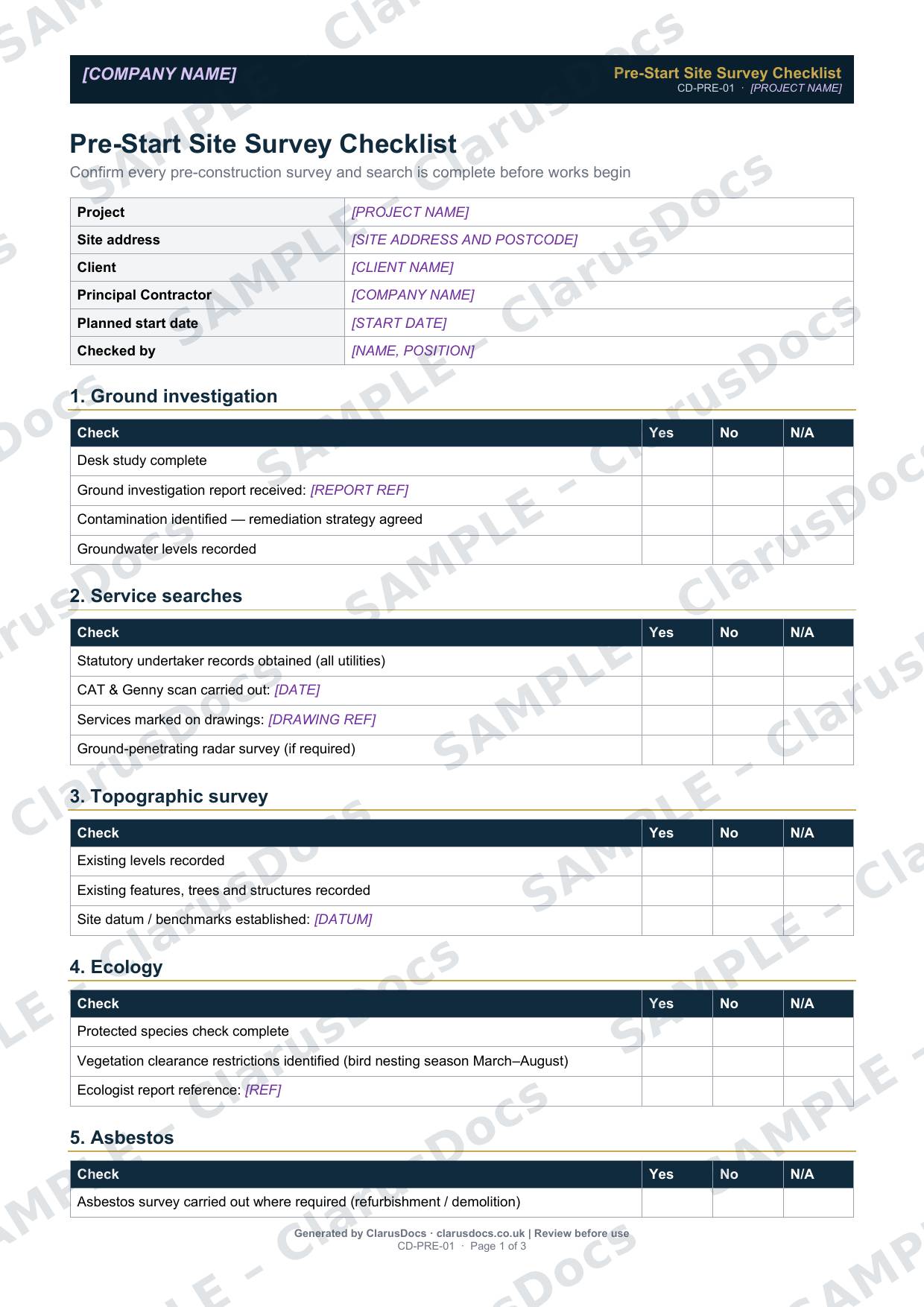
This pre-start site survey checklist confirms that every survey and search has been done before anyone breaks ground: ground investigation, services, topography, ecology, asbestos, archaeology, traffic, utilities, planning conditions and stakeholder notifications.
 See what you get →
Completed except the facts only you know
£25 + VAT
£30 inc. VAT
- Fills in: Header details and the items to check for your project.
- Stays [TO CONFIRM]: References, names and locations you haven’t given us. Results, readings, dates and signatures are left blank.
- A competent person must review before use.
- Company logo in header
- Delivered in minutes
- Word document (.docx)
Template
£9 + VAT
£10.80 inc. VAT
Blank checklist — fill in yourself
- Word document (.docx)
- Guidance notes included
- Instant download
- Use on any project
Prices exclude VAT: UK customers pay 20% VAT; VAT is not charged for customers outside the UK.All documents are drafts. Placeholders marked [TO CONFIRM] must be completed with your site-specific details. A competent person must review before use on site.
What it's for
Most expensive surprises on a groundworks job trace back to a survey that was missed or not read: an uncharted service, contaminated ground, a nesting season, or a planning condition that was never discharged. The checklist brings all the pre-start checks onto one page, so the project manager can see what is outstanding and sign off that work may start.
When you need it
During pre-construction, and finally on the day before work starts. Use it again before each new area or phase if the surveys differ.
Who signs it
The project manager signs it, confirming that all surveys are complete and work may start. The person who carried out the checks is recorded at the top.
What's inside
- Project details, planned start date and who carried out the checks
- Ten sections of checks: ground investigation, service searches, topographic survey, ecology, asbestos, archaeology, traffic, utilities, planning conditions and stakeholder notifications
- Report and drawing references for each survey
- Space for outstanding items and actions
- Project manager sign-off
FAQ
- Does it replace the surveys themselves?
- No. It records that each survey has been done and where the report is, so nothing is missed.
- What if a survey is still outstanding?
- Record it in the outstanding items, with an owner and date. The project manager decides whether any work can start before it is complete.
- Is the ecology check really needed on a small job?
- Yes, if there is vegetation clearance or ground disturbance. Nesting birds and some other species are protected by law, whatever the size of the job.
- What is [TO CONFIRM]?
- Details only you know, such as references, names and locations. We never guess these. They appear as highlighted [TO CONFIRM] placeholders, and the checklist opens with a list of every one. Results, readings, dates and signatures are left blank for completion at the time.
- Can I edit the document?
- Yes. Both options are Word documents you can edit freely.
- Do I still need to review it?
- Yes. A competent person must check every document against the actual site and works before it is used. ClarusDocs gives you a complete first draft, not a substitute for that check.
Related documents
- Pre-Construction Information ChecklistShow the client has handed over the information contractors need to plan safely
- Site Establishment ChecklistCheck security, welfare, emergency and paperwork are in place on day one
- Pre-Start Work Package ChecklistCheck everything is ready before a package starts — not after
- Permit to DigSign-off that buried services are found and marked before anyone breaks ground
- Excavation Safety Toolbox TalkA ten-minute briefing on trench safety, with a sign-on sheet for the gang
- Ecology Clearance RecordRecord that protected species were checked before clearing the site