Permit to Access Template
Written from experience on CTRL, Crossrail and Network Rail
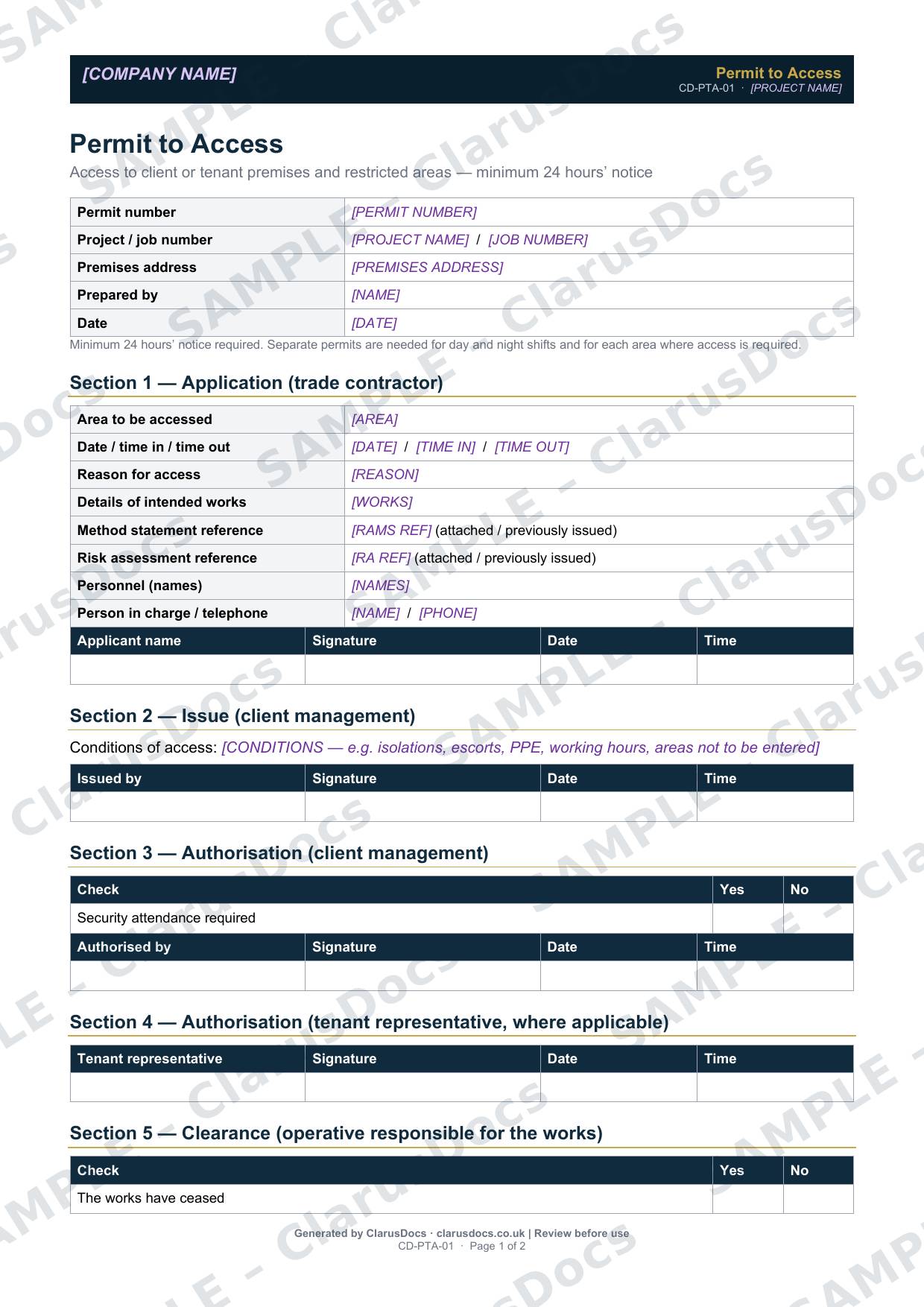
This permit to access template controls entry to client or tenant premises, plant rooms, roofs and other restricted areas. It records who is going in, why, when, under what conditions, and that the area was left safe afterwards.
 See what you get →
Completed except the facts only you know
£25 + VAT
£30 inc. VAT
- Fills in: The permit details, from the works you describe.
- Stays [TO CONFIRM]: Permit number, named issuers and emergency contacts. Signatures, times and readings are left blank for issue.
- A competent person must review before use.
- Company logo in header
- Delivered in minutes
- Word document (.docx)
Template
£9 + VAT
£10.80 inc. VAT
Blank permit — fill in yourself
- Word document (.docx)
- Guidance notes included
- Instant download
- Use on any project
Prices exclude VAT: UK customers pay 20% VAT; VAT is not charged for customers outside the UK.All documents are drafts. Placeholders marked [TO CONFIRM] must be completed with your site-specific details. A competent person must review before use on site.
Why it matters
When the dispute arrives, the question is always: what did you have in place and when? This document is the answer.
What it's for
When you work in occupied buildings or on a client’s operational site, the people who manage the premises need to know who is in which area and what they are doing. A permit to access gives them a clear approval step, and gives you a record that access was agreed and the area handed back in good order.
When you need it
Whenever a client, tenant or facilities team requires it before entering their premises or a restricted area. The template asks for at least 24 hours’ notice. Separate permits are needed for day and night shifts and for each area.
Who signs it
The permit has six sections, each signed:
- the contractor applies
- client management issues it with conditions
- client management authorises it, and decides whether security attendance is needed
- a tenant representative authorises it where needed
- the operative responsible for the works confirms clearance
- client management cancels it
Everyone entering signs the access register.
What's inside
- Permit and project details, premises address and notice rules
- The application: area, times, reason, works, RAMS references, personnel and person in charge
- Issue conditions, such as isolations, escorts, PPE and areas not to be entered
- Client and tenant authorisation, clearance checks and cancellation
- An access register with names, company, times in and out, and signatures
FAQ
- Does a permit to access replace a permit to work?
- No. It controls entry to the area. Hazardous work inside still needs its own permit, such as hot works or confined space entry.
- Why do I need separate permits for day and night?
- Different people, conditions and security arrangements usually apply, so each shift is approved separately.
- What happens at the end of the work?
- The operative confirms the works have stopped and the area has been inspected, then client management cancels the permit.
- What is [TO CONFIRM]?
- Details only you know, such as the permit number, named issuers and emergency contacts. We never guess these. They appear as highlighted [TO CONFIRM] placeholders, and the permit opens with a list of every one. Signatures, times and readings are left blank, to be completed when the permit is issued.
- Can I edit the document?
- Yes. Both options are Word documents you can edit freely.
- Do I still need to review it?
- Yes. A competent person must check every document against the actual site and works before it is used. ClarusDocs gives you a complete first draft, not a substitute for that check.
Related documents
- Permit to DigSign-off that buried services are found and marked before anyone breaks ground
- Hot Works PermitApproval for welding, cutting or grinding, with the fire watch afterwards
- Confined Space PermitApproval to enter manholes and chambers, with gas checks and a rescue plan
- Permit to PumpApproval to pump out water, with where it goes and how silt is controlled
- Early Warning NoticeThe notice that flags a problem early, before it costs time or money
- Stakeholder Notification LogShow who was told about the works, when and how