Pre-Start Work Package Checklist
Written from experience on CTRL, Crossrail and Network Rail
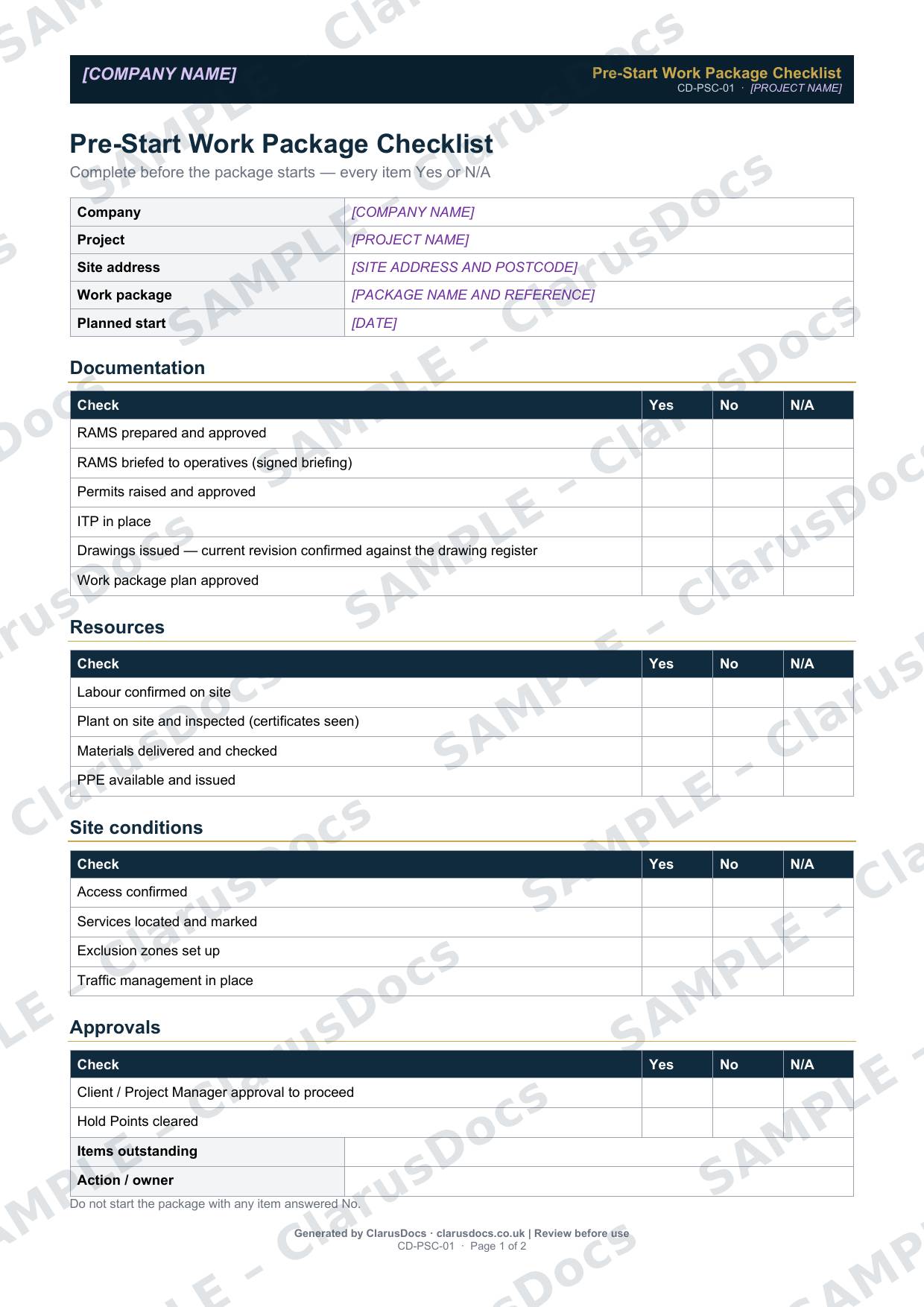
This pre-start work package checklist confirms that everything needed for a work package is in place before it starts, covering documents, resources, site conditions and approvals, with a simple rule: do not start with any item answered no.
 See what you get →
Completed except the facts only you know
£25 + VAT
£30 inc. VAT
- Fills in: Header details and the items to check for your project.
- Stays [TO CONFIRM]: References, names and locations you haven’t given us. Results, readings, dates and signatures are left blank.
- A competent person must review before use.
- Company logo in header
- Delivered in minutes
- Word document (.docx)
Template
£9 + VAT
£10.80 inc. VAT
Blank checklist — fill in yourself
- Word document (.docx)
- Guidance notes included
- Instant download
- Use on any project
Prices exclude VAT: UK customers pay 20% VAT; VAT is not charged for customers outside the UK.All documents are drafts. Placeholders marked [TO CONFIRM] must be completed with your site-specific details. A competent person must review before use on site.
What it's for
Starting a package before the RAMS is briefed, the plant is inspected or a Hold Point is released is how avoidable incidents and rework happen. A short checklist signed by the site manager on the day makes sure the essentials are in place, and records what is still outstanding and who is dealing with it.
When you need it
Immediately before each work package starts, after the work package plan has been approved.
Who signs it
The site manager.
What's inside
- Work package and planned start date
- Documentation: approved and briefed RAMS, permits, ITP, current drawings checked against the register, and an approved work package plan
- Resources: labour, inspected plant with certificates seen, materials and PPE
- Site conditions: access, services located and marked, exclusion zones and traffic management
- Approvals: client or Project Manager approval to proceed, and Hold Points cleared
- Items outstanding, actions and owners
- Site manager sign-off
FAQ
- What if one item is not ready?
- Do not start the package. Record the outstanding item, who is dealing with it and when, and start once it is resolved.
- Is the RAMS briefing really part of pre-start?
- Yes. The checklist asks for a signed briefing record, not just an approved RAMS.
- Who completes it?
- The site manager, on the day the package starts.
- Does it replace the work package plan?
- No. The plan sets out how the package will be delivered. The checklist confirms, on the day, that everything the plan relies on is actually in place.
- What is [TO CONFIRM]?
- Details only you know, such as references, names and locations. We never guess these. They appear as highlighted [TO CONFIRM] placeholders, and the checklist opens with a list of every one. Results, readings, dates and signatures are left blank for completion at the time.
- Can I edit the document?
- Yes. Both options are Word documents you can edit freely.
- Do I still need to review it?
- Yes. A competent person must check every document against the actual site and works before it is used. ClarusDocs gives you a complete first draft, not a substitute for that check.
Related documents
- Work Package PlanPlan one package properly — scope, programme, resources and interfaces
- Permit to DigSign-off that buried services are found and marked before anyone breaks ground
- Drainage Excavation RAMSThe method statement and risk assessment for digging trenches and laying drains
- Pre-Backfill Inspection ChecklistThe check that pipes, bedding and surround are right before the trench is filled
- Drainage Pressure Test RecordThe air or water test record that proves new drains don’t leak
- Permit to PumpApproval to pump out water, with where it goes and how silt is controlled