Asset Register Template
Written from experience on CTRL, Crossrail and Network Rail
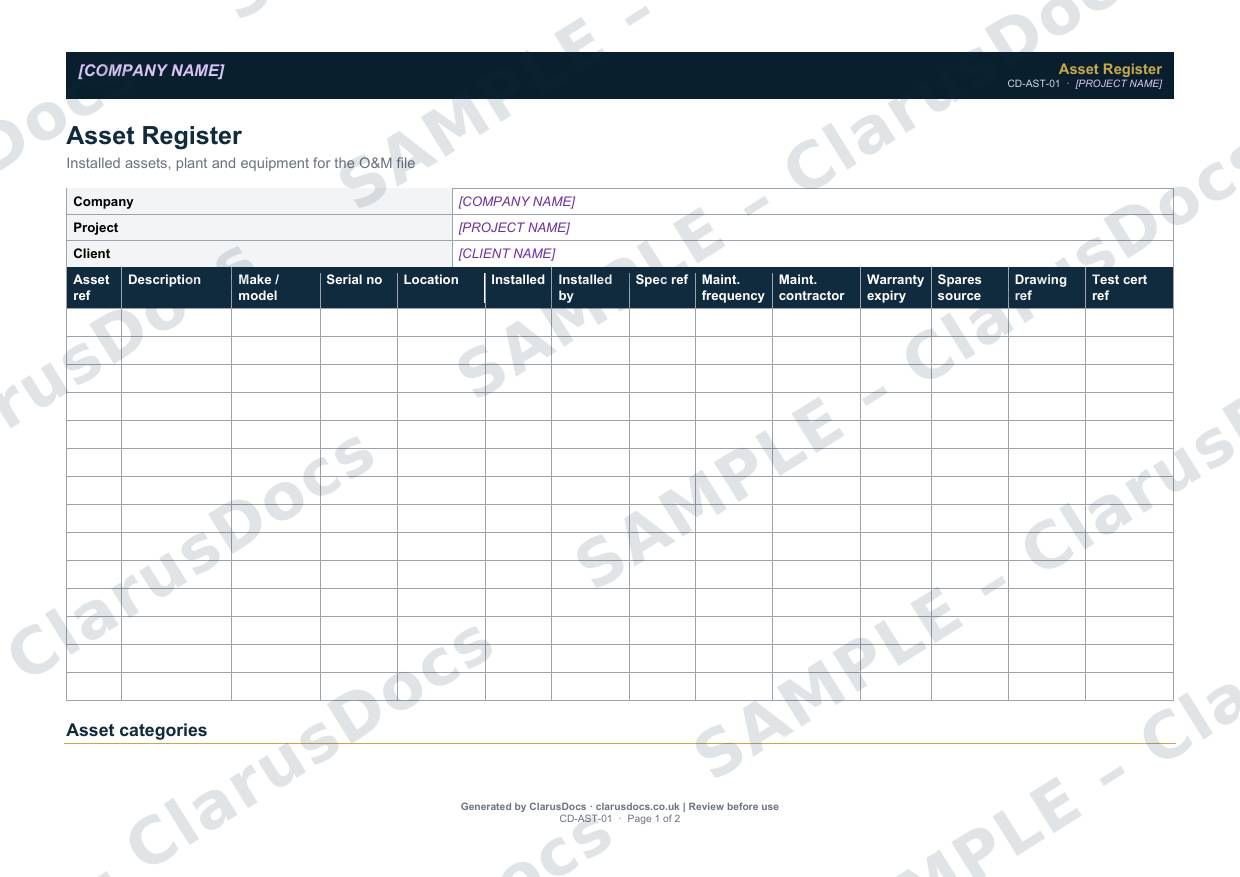
This asset register template lists every installed asset, plant item and piece of equipment on a project: what it is, where it is, who installed it, how often it needs maintaining and when its warranty expires. It is ready to go into the O&M file.
 See what you get →
Completed except the facts only you know
£25 + VAT
£30 inc. VAT
- Fills in: The register header for your project.
- Stays [TO CONFIRM]: Names and references you haven’t given us. Entry rows are left blank.
- A competent person must review before use.
- Company logo in header
- Delivered in minutes
- Word document (.docx)
Template
£9 + VAT
£10.80 inc. VAT
Blank register — fill in yourself
- Word document (.docx)
- Guidance notes included
- Instant download
- Use on any project
Prices exclude VAT: UK customers pay 20% VAT; VAT is not charged for customers outside the UK.All documents are drafts. Placeholders marked [TO CONFIRM] must be completed with your site-specific details. A competent person must review before use on site.
What it's for
The client’s maintenance team needs to know what they own and how to look after it. The register gives each asset a reference used consistently across the drawings, commissioning records, warranty register and maintenance schedules, so information can be traced from one document to the next.
When you need it
Build it during installation and complete it before handover. Add assets as they are installed, rather than reconstructing the list at the end.
Who signs it
It is not signed. It is prepared by the contractor and included in the O&M file.
What's inside
- Project and client details
- A landscape register with asset reference, description, make and model, serial number, location, installation date and installer, specification reference, maintenance frequency and contractor, warranty expiry, spares source, drawing reference and test certificate reference
- Asset categories with typical assets for drainage, structural, mechanical, electrical and civil works
- A note on using asset references consistently
FAQ
- What counts as an asset?
- Anything the client will need to maintain, inspect or replace. Typical examples include manholes, pumping stations, attenuation tanks, penstocks, control panels, fencing and signage.
- How detailed should it be?
- Enough for someone who did not build the works to find each asset and maintain it. Include serial numbers and drawing references where they exist.
- Does it link to the other handover documents?
- Yes. Use the same asset reference in the commissioning records, warranty register and maintenance schedules.
- Can I start it before installation?
- Yes. Start with the assets on the drawings and fill in serial numbers, installation dates and certificates as each item goes in.
- What is [TO CONFIRM]?
- Details only you know, such as names, references and dates. We never guess these. They appear as highlighted [TO CONFIRM] placeholders, and the register opens with a list of every one. The entry rows are always left blank: we never invent entries, so you record them as the work goes on.
- Can I edit the document?
- Yes. Both options are Word documents you can edit freely.
- Do I still need to review it?
- Yes. A competent person must check every document against the actual site and works before it is used. ClarusDocs gives you a complete first draft, not a substitute for that check.
Related documents
- Snagging ListEvery snag at completion — prioritised, owned and closed
- Warranty and Guarantee RegisterEvery warranty in one place — with how to claim and what voids it
- Health and Safety File — Index and Cover SheetThe front sheet and contents list for the file the client keeps after handover
- O&M File — Cover Sheet and IndexA complete, well-structured O&M file the client can actually use
- Commissioning RecordProve each asset works as designed before it’s handed over
- Operator Training RecordShow the client’s team were trained to run what you built