Operator Training Record
Written from experience on CTRL, Crossrail and Network Rail
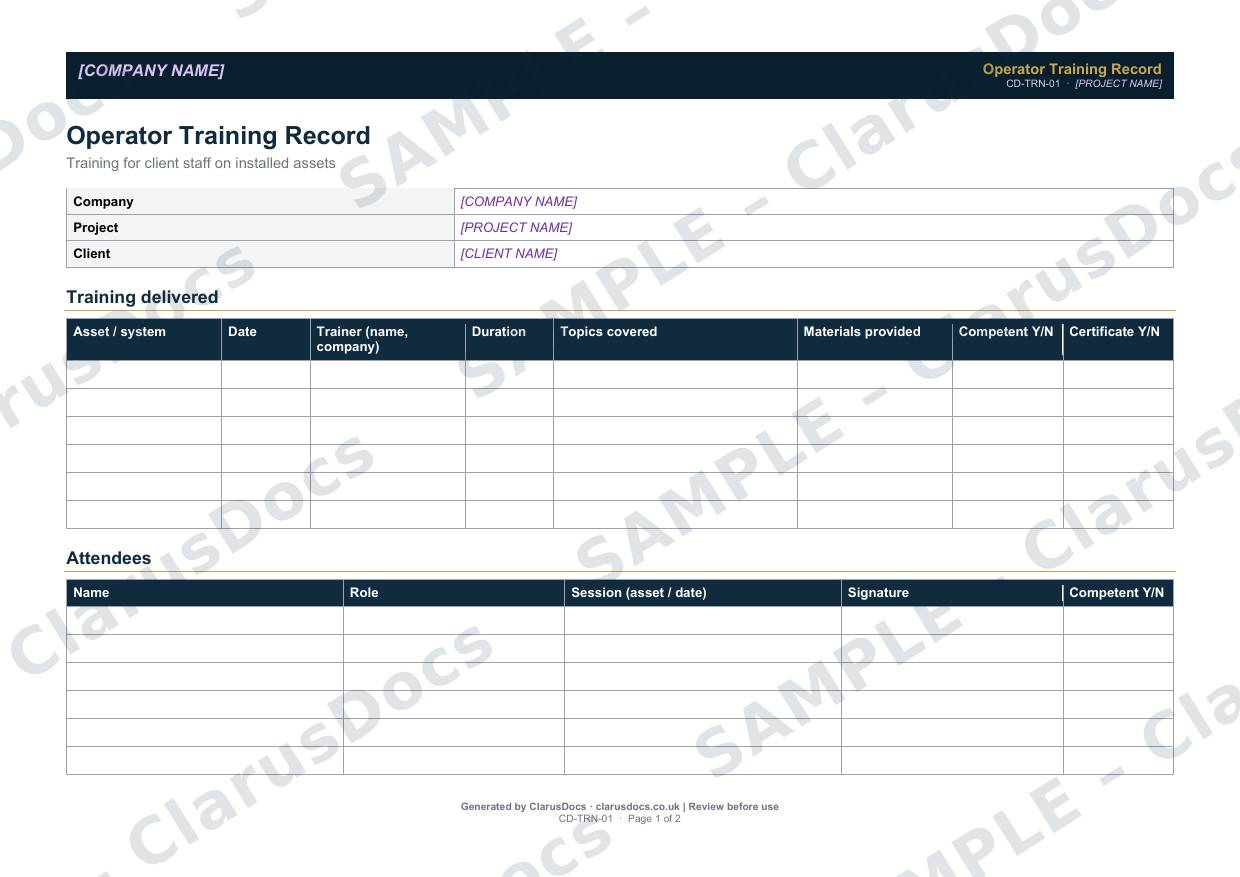
This operator training record shows that the client’s staff were trained to operate and maintain the assets you built and installed: what training was given, by whom, who attended, whether they were judged competent, and when refresher training is due.
 See what you get →
Completed except the facts only you know
£25 + VAT
£30 inc. VAT
- Fills in: Header details and the items to check for your project.
- Stays [TO CONFIRM]: References, names and locations you haven’t given us. Results, readings, dates and signatures are left blank.
- A competent person must review before use.
- Company logo in header
- Delivered in minutes
- Word document (.docx)
Template
£9 + VAT
£10.80 inc. VAT
Blank form — fill in yourself
- Word document (.docx)
- Guidance notes included
- Instant download
- Use on any project
Prices exclude VAT: UK customers pay 20% VAT; VAT is not charged for customers outside the UK.All documents are drafts. Placeholders marked [TO CONFIRM] must be completed with your site-specific details. A competent person must review before use on site.
What it's for
Handing over a pumping station or control system without training the people who will run it creates risk for them and for you. A signed record shows that the training was delivered, what it covered, and who attended. It goes into the O&M file (section 10 in the ClarusDocs O&M manual template).
When you need it
At handover, for each asset or system that client staff will operate or maintain, and again whenever new staff need training on an asset.
Who signs it
The trainer and the client’s representative. Each attendee signs the attendee register.
What's inside
- Project and client details
- A training delivered table with asset or system, date, trainer, duration, topics, materials provided, and competence and certificate status
- An attendee register with role, session, signature and competence
- Standard training topics: normal operation, routine maintenance, fault diagnosis, emergency shutdown, safety precautions and reporting defects
- Refresher training frequency and responsibility
- Sign-off
FAQ
- Who should deliver the training?
- Usually the installer or the manufacturer’s representative, depending on the asset and on any warranty requirements.
- What safety topics are covered?
- The standard topics include isolation, confined spaces and lone working, along with emergency shutdown and reporting defects.
- Where does it go?
- Into the O&M file (section 10 in the ClarusDocs O&M manual template), alongside the asset register, commissioning records and warranty register.
- What if a trainee is not judged competent?
- Record it in the competence column, agree further training, and do not leave them to operate the asset alone until they have been reassessed and judged competent.
- What is [TO CONFIRM]?
- Details only you know, such as references, names and locations. We never guess these. They appear as highlighted [TO CONFIRM] placeholders, and the form opens with a list of every one. Results, readings, dates and signatures are left blank for completion at the time.
- Can I edit the document?
- Yes. Both options are Word documents you can edit freely.
- Do I still need to review it?
- Yes. A competent person must check every document against the actual site and works before it is used. ClarusDocs gives you a complete first draft, not a substitute for that check.
Related documents
- Health and Safety File — Index and Cover SheetThe front sheet and contents list for the file the client keeps after handover
- O&M File — Cover Sheet and IndexA complete, well-structured O&M file the client can actually use
- Snagging ListEvery snag at completion — prioritised, owned and closed
- Asset Register TemplateEvery installed asset — what, where, who maintains it and when
- Commissioning RecordProve each asset works as designed before it’s handed over
- Warranty and Guarantee RegisterEvery warranty in one place — with how to claim and what voids it