Site Establishment Checklist Template
Written from experience on CTRL, Crossrail and Network Rail
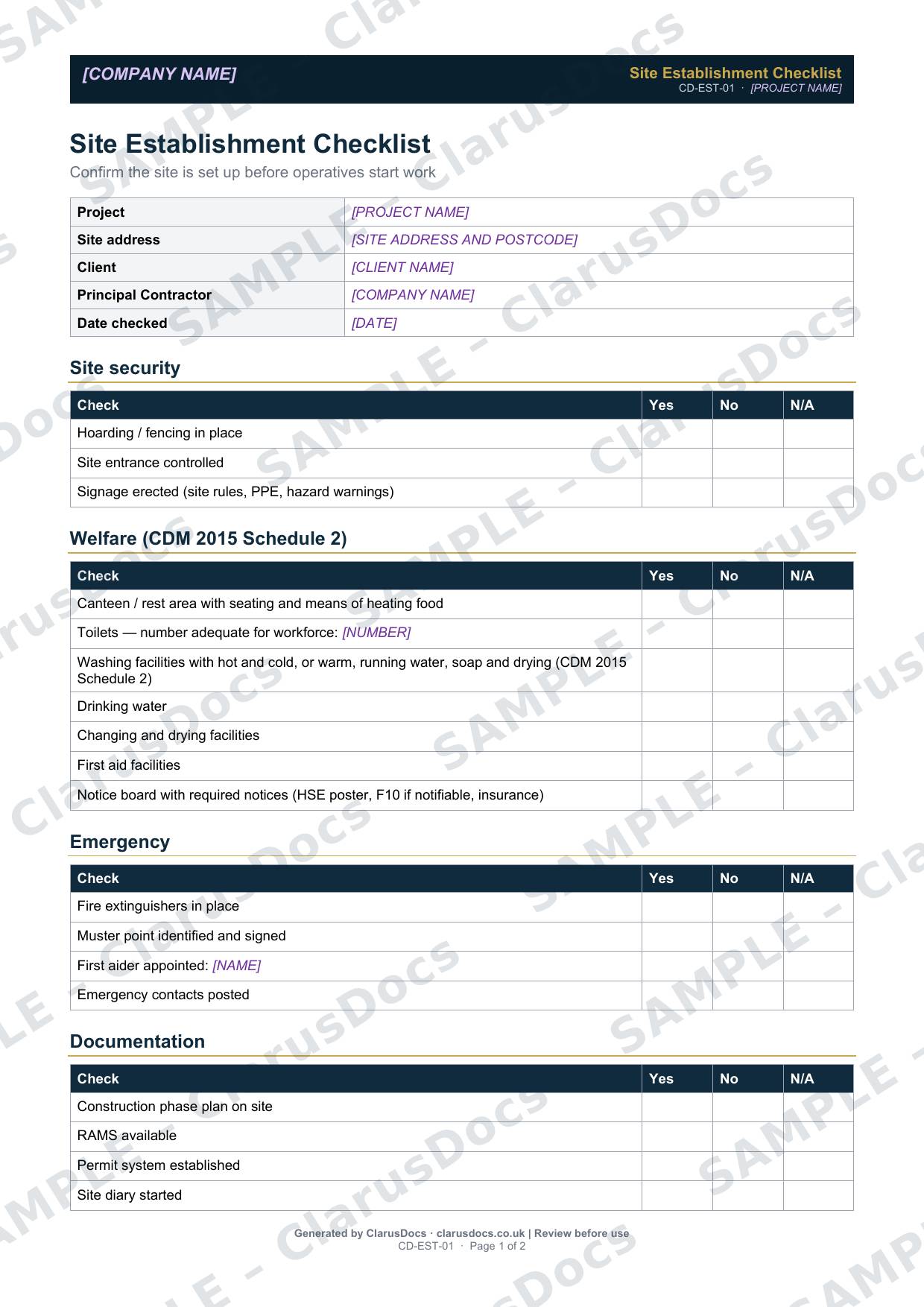
This site establishment checklist confirms the site is properly set up before operatives start work, covering security and signage, welfare facilities, emergency arrangements and the essential paperwork.
 See what you get →
Completed except the facts only you know
£25 + VAT
£30 inc. VAT
- Fills in: Header details and the items to check for your project.
- Stays [TO CONFIRM]: References, names and locations you haven’t given us. Results, readings, dates and signatures are left blank.
- A competent person must review before use.
- Company logo in header
- Delivered in minutes
- Word document (.docx)
Template
£9 + VAT
£10.80 inc. VAT
Blank checklist — fill in yourself
- Word document (.docx)
- Guidance notes included
- Instant download
- Use on any project
Prices exclude VAT: UK customers pay 20% VAT; VAT is not charged for customers outside the UK.All documents are drafts. Placeholders marked [TO CONFIRM] must be completed with your site-specific details. A competent person must review before use on site.
What it's for
Under CDM 2015, welfare facilities must be in place from the start of the construction phase, and the site must be secured against unauthorised access. The checklist gives the project or site manager a quick, signed check that security, welfare, emergency arrangements and documents are all in place on day one.
When you need it
Before the first operatives start work on site, and again when the site is moved or a new compound is set up.
Who signs it
The project manager or site manager.
What's inside
- Site security: hoarding or fencing, controlled entrance and signage
- Welfare checks based on CDM 2015 Schedule 2: rest area, toilets, washing facilities with hot and cold, or warm, running water, drinking water, changing and drying facilities, first aid, and a notice board with the required notices
- Emergency arrangements: fire extinguishers, muster point, first aider and emergency contacts
- Documentation: construction phase plan, RAMS, permit system, site diary and drawing register
- Sign-off
FAQ
- Which notices should be on the notice board?
- The template lists the HSE health and safety law poster, a copy of the F10 notification if the project is notifiable, and the employer’s liability insurance certificate. The employer’s liability insurance certificate can be displayed, or made available electronically where employees can easily access it.
- What if welfare is shared with another contractor?
- Check that what is provided meets the needs of your workforce, and record it on the checklist.
- Does this replace the construction phase plan?
- No. It confirms that the plan and the other essential documents are on site.
- Who should carry out the check?
- The project manager or site manager, before any operatives start. If something is missing, record it and do not start the affected work until it is in place.
- What is [TO CONFIRM]?
- Details only you know, such as references, names and locations. We never guess these. They appear as highlighted [TO CONFIRM] placeholders, and the checklist opens with a list of every one. Results, readings, dates and signatures are left blank for completion at the time.
- Can I edit the document?
- Yes. Both options are Word documents you can edit freely.
- Do I still need to review it?
- Yes. A competent person must check every document against the actual site and works before it is used. ClarusDocs gives you a complete first draft, not a substitute for that check.
Related documents
- Pre-Start Site Survey ChecklistMake sure every survey and search is done before anyone breaks ground
- Pre-Construction Information ChecklistShow the client has handed over the information contractors need to plan safely
- Pre-Start Work Package ChecklistCheck everything is ready before a package starts — not after
- Permit to DigSign-off that buried services are found and marked before anyone breaks ground
- Excavation Safety Toolbox TalkA ten-minute briefing on trench safety, with a sign-on sheet for the gang
- Ecology Clearance RecordRecord that protected species were checked before clearing the site